Product
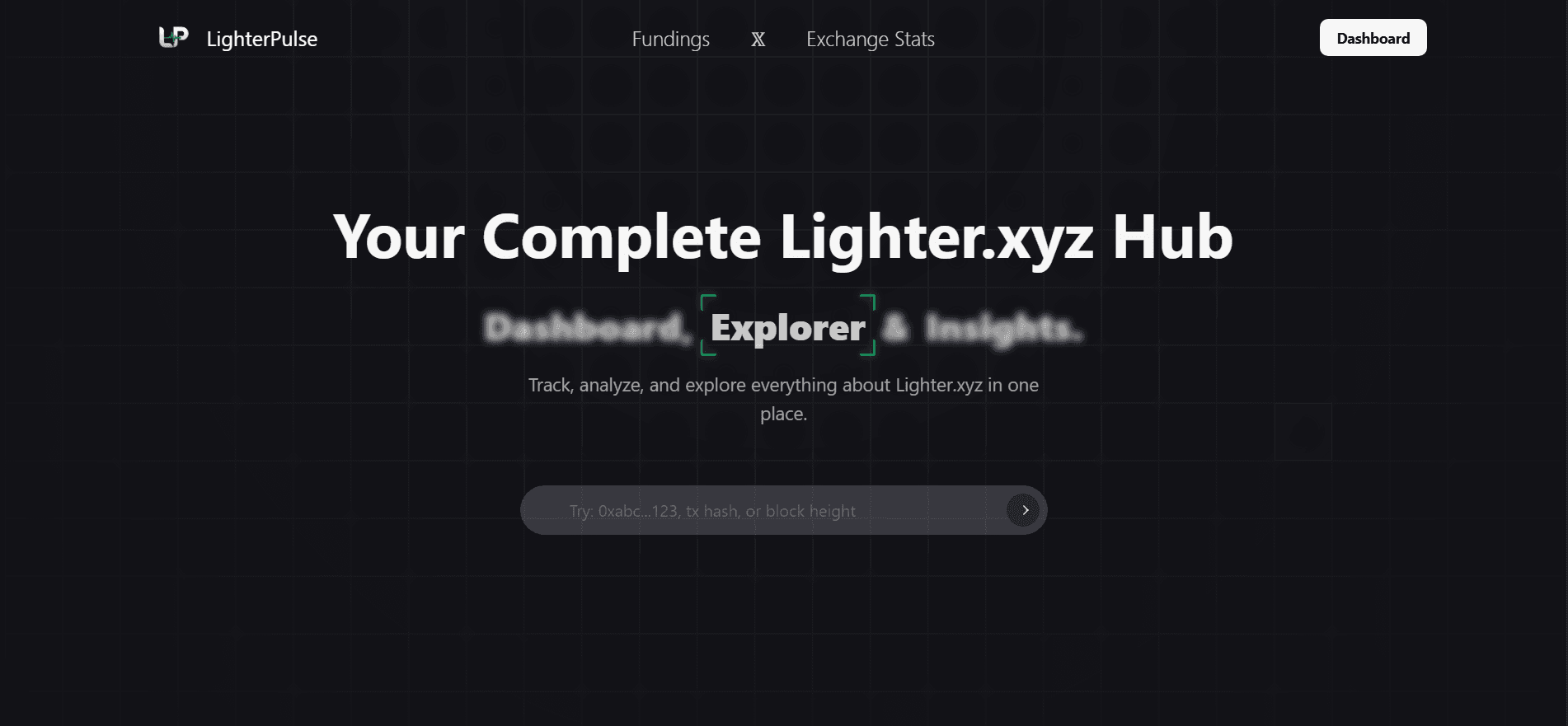
LighterPulse
Analytics hub for Lighter.xyz: dashboards, a block explorer, exchange stats and cross-venue funding comparison.
- Next.js
- TypeScript
- Tailwind CSS
Live
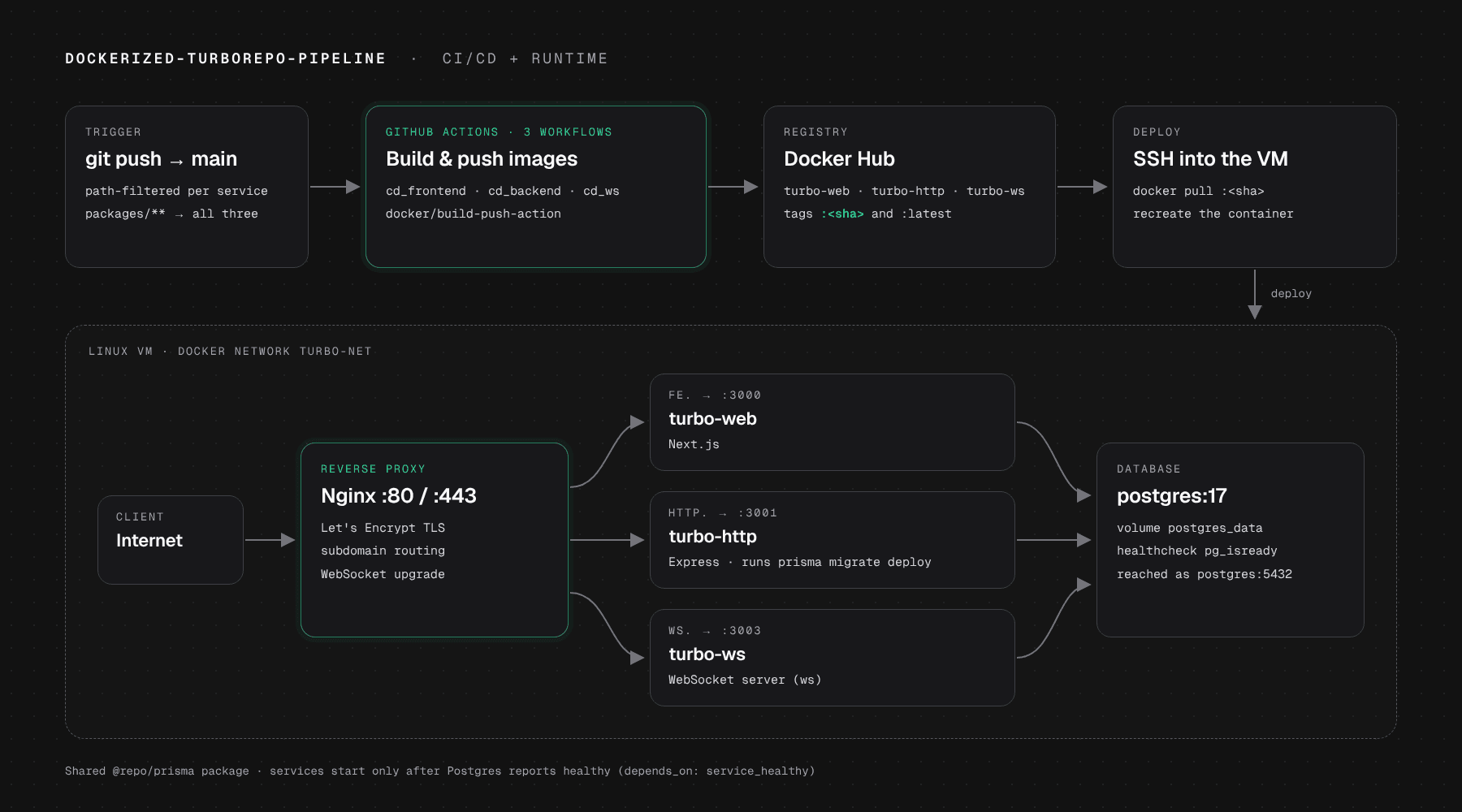
A hands-on project for learning CI/CD and containerisation end to end. It packages each service of a small Turborepo monorepo as its own Docker image, then uses GitHub Actions to build the images, push them to Docker Hub and deploy them over SSH to a Linux VM, where Nginx serves each one on its own subdomain over HTTPS. The apps are deliberately minimal; the pipeline and the infrastructure are the project.
The goal was to learn how code gets from a git push to a running server without a hosting platform doing the work. To have something realistic to ship, the repository is a Turborepo monorepo with three minimal sample services (a Next.js page, an Express API with sign-up and sign-in, and a WebSocket server) that share one PostgreSQL database through a Prisma package. The services exist to be containerised and deployed; they are not the focus.
Everything around them was set up by hand: a Dockerfile for each service, Docker Compose files for local and production runs, a GitHub Actions workflow per service that builds and pushes an image to Docker Hub, and an SSH deploy step that pulls the new image onto a Linux VM and recreates the container. On the VM, Nginx routes a subdomain to each container and Certbot provides the HTTPS certificates.
Each workflow checks out the repository, logs in to Docker Hub, builds the service's image with docker/build-push-action and pushes it as turbo-<service>:<sha> and :latest. A final step connects to the VM over SSH, pulls the SHA-tagged image, stops and removes the old container and starts the new one on the shared network. Path filters keep the three pipelines independent: a frontend change ships only the frontend, while a change under packages/** rebuilds all three services.
The Dockerfiles copy the workspace manifests and lockfile before the source, so the pnpm install layer stays cached until dependencies change. The Prisma client is generated at build time against a placeholder DATABASE_URL and the real one is supplied at run time. In Compose, services reach the database by name (postgres:5432) over the turbo-net network and wait for a pg_isready health check before starting, and the API runs prisma migrate deploy on startup so the schema is always current. Nginx forwards the Upgrade and Connection headers, so WebSocket traffic passes through the same proxy as HTTP.
In a monorepo, a naive pipeline rebuilds and redeploys everything on every push. Filtering each workflow on its own app folder, its Dockerfile and packages/** made a frontend change ship only the frontend, while a change to the shared Prisma or UI package still rebuilds all three services.
Deploying :latest makes it impossible to tell which commit is running. The deploy step pulls the image tagged with the commit SHA that triggered the workflow, so every container maps to one commit and rolling back means redeploying an earlier tag.
Containers that start before Postgres is ready crash or fail their first queries. A pg_isready health check now gates the application containers, and running prisma migrate deploy in the API's start command keeps the schema current on every deploy without a manual step.
prisma generate needs a DATABASE_URL, but no database exists during docker build. A placeholder build argument lets the client generate, while the real connection string is only provided when the container runs.
A plain reverse proxy breaks WebSocket connections at the upgrade handshake. Each Nginx server block uses HTTP/1.1 and forwards the Upgrade and Connection headers, so one proxy carries both HTTP and WebSocket traffic, with Certbot managing the certificates.
Product
Analytics hub for Lighter.xyz: dashboards, a block explorer, exchange stats and cross-venue funding comparison.
Backend service
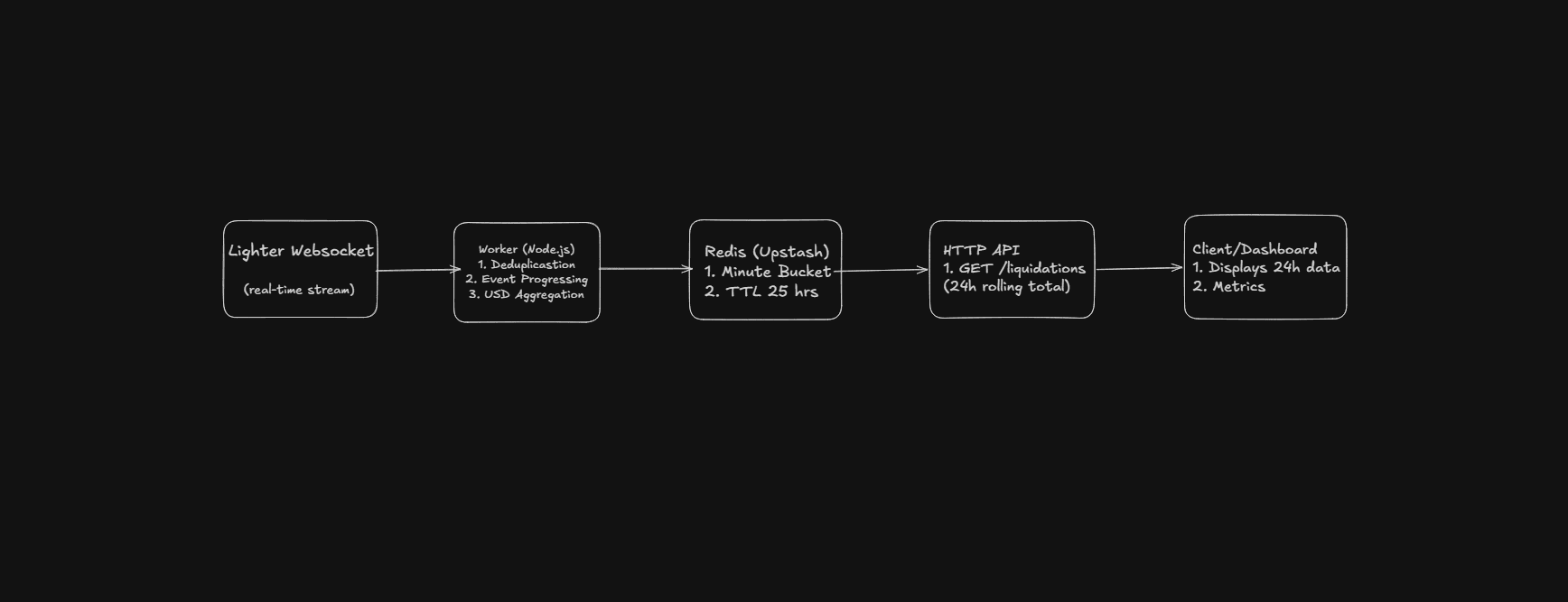
Streaming pipeline that ingests Lighter liquidations, dedupes replayed batches and serves a rolling 24h total.